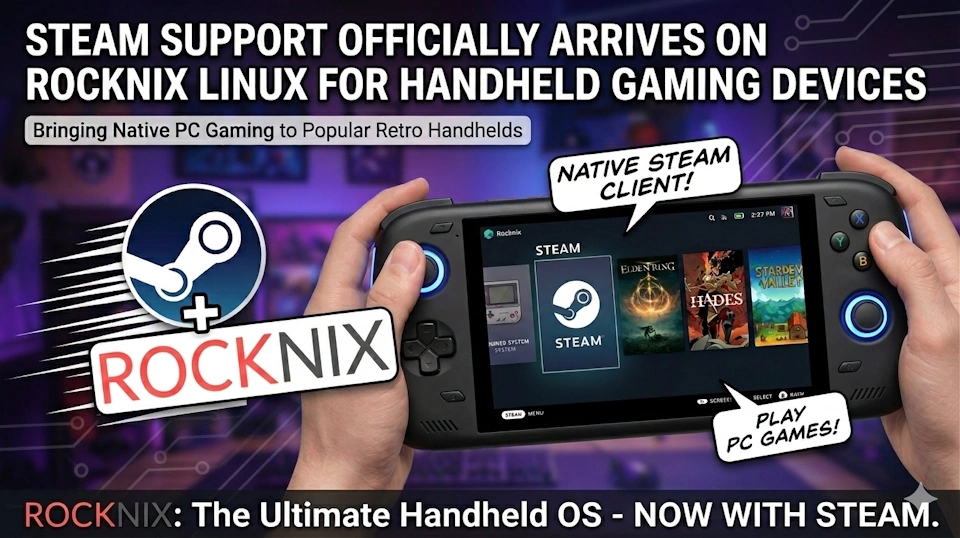
As of April 15, 2026, Rocknix's nightly builds now support signing into Steam and downloading games directly on Snapdragon-based handhelds. This puts Linux handheld gaming on par with Android solutions like GameHub and GameNative — with a performance edge where it matters most.
For Snapdragon devices like the Retroid Pocket 5, AYN Odin 2 Portal, and AYANEO Pocket series, this is significant. Rocknix may now be the best all-around distribution for these handhelds, offering both native Steam access and superior emulation performance for demanding platforms like PlayStation 3 and Xbox 360.
What Is Rocknix?
Rocknix is a Linux-based operating system designed specifically for handheld gaming devices. It's built around EmulationStation as the frontend and supports a wide range of retro systems through RetroArch and standalone emulators. Until now, it was primarily known as a retro-focused OS — excellent for classic consoles but missing native access to modern PC games.
With the addition of Steam support, Rocknix now bridges the gap between retro emulation and modern indie PC gaming on the same device.
How Steam Works on Rocknix
According to the official documentation, Steam is installed via EmulationStation's Tools menu by selecting "Start Steam." The initial setup downloads the FEX Arch rootfs and installs the Steam runtime with all necessary dependencies. Once complete, Steam appears in the main menu.
The installation is automated, but there are a few setup steps worth knowing:
- Install to internal memory. Rocknix recommends installing the OS to internal storage rather than running from an SD card. This significantly improves Steam startup time, game installation speed, and launch times.
- Game storage. After logging in, a
/roms/steamdirectory appears. You can transfer games from your PC's Steam library to this folder to avoid re-downloading them on the handheld. - Custom Proton versions. If you want to use a specific Proton compatibility layer, you can copy it to
/storage/.steam/root/compatibilitytools.d. - Controller support. Steam Input needs to be enabled per-game through the controller icon next to the Play button.
Performance Optimization
Rocknix allows you to enable host libraries (DRM, Vulkan, GL) through EmulationStation's advanced system options. This boosts performance and reduces input lag, though it may affect compatibility with some games. For most titles, the trade-off is worth it.
Compatibility Notes
Not every Steam game will run perfectly. Rocknix's documentation notes:
- RTX-dependent games may not work.
- Some DirectX 12 games require the launch argument:
VKD3D_FEATURE_LEVEL=12_1 %command% - Counter-Strike 2 requires DRM, Vulkan, and Wayland client libraries enabled.
- For game-specific compatibility, check ProtonDB.
Why This Matters: Linux vs. Android on Snapdragon
Android already has excellent Steam compatibility through GameHub and GameNative. I wrote recently about how GameHub and GameNative have become my go-to tools for quickly getting Steam games onto Android handhelds. So why does Rocknix's Steam support matter?
Because Rocknix has a clear advantage over Android for PS3 and Xbox emulation.
On Snapdragon hardware, Linux-based distributions like Rocknix deliver better performance and compatibility for demanding emulation tasks. PlayStation 3 emulation via RPCS3 and Xbox emulation via Xemu run noticeably better on Rocknix than they do on Android — better frame rates, fewer graphical glitches, and more stable performance overall.
Before this update, using Rocknix meant choosing between retro emulation and modern Steam games. Now you can have both on the same OS without dual-booting or switching SD cards.
Which Devices Support It?
Steam support is currently available on Snapdragon-based handhelds that run Rocknix. According to the official Rocknix device wiki, supported devices include:
SM8250 (Snapdragon 865)
- Retroid Pocket 5
- Retroid Flip 2 (Snapdragon variant)
SM8550 (Snapdragon 8 Gen 2 / G3x Gen 2)
- Ayn Odin 2
- Ayn Odin 2 Portal
- Ayn Thor
- AYANEO Pocket ACE
- AYANEO Pocket DMG
- AYANEO Pocket EVO
- AYANEO Pocket DS
SM8650 (Snapdragon 8 Gen 3)
- AYANEO Pocket S2
These devices all use high-performance Snapdragon chipsets and can dual-boot between Rocknix and Android. With Steam now functional on Rocknix, the Linux side becomes a more compelling option for users who want both top-tier emulation and access to their Steam library.
Is Rocknix the Best Distribution for Snapdragon Handhelds?
It's a strong contender. Rocknix now offers:
- Superior PS3 and Xbox emulation performance compared to Android
- Native Steam support with full game downloads and account management
- A polished EmulationStation frontend for retro games
- Active development and regular updates
For users who prioritize emulation and want Steam as a bonus, Rocknix is probably the best choice. For users who prioritize modern PC gaming and want emulation as a secondary feature, Android with GameHub/GameNative may still be the better fit.
But the gap has narrowed. Rocknix is no longer just a retro-focused OS — it's a legitimate dual-purpose platform for both classic and modern games.
How to Get It
Steam support is currently available in Rocknix's nightly builds. Nightly builds are development snapshots that include the latest features but may be less stable than official releases. If you want to try Steam on Rocknix, download the appropriate nightly build for your device and follow the installation instructions on the Rocknix website.
Full documentation for Steam setup is available at rocknix.org/systems/steam.